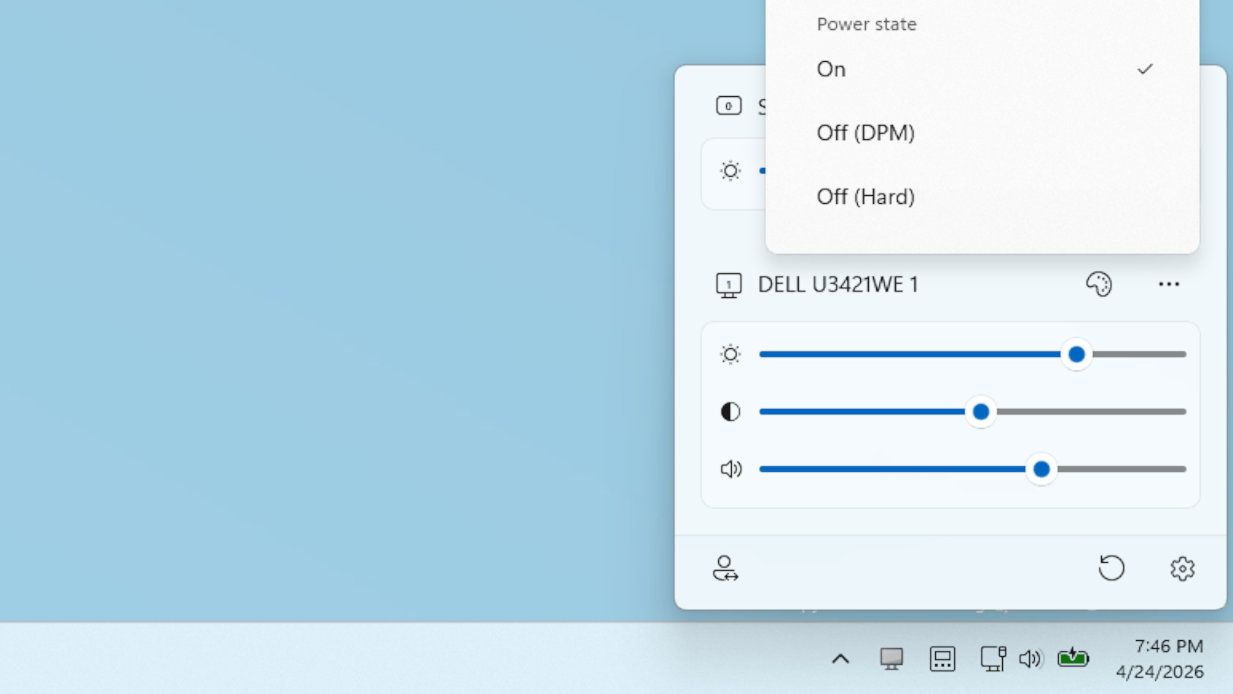
Microsoft’s latest PowerToys tool brings control of your monitor into Windows: a must-have for anyone with lots of big monitors and too little time
Microsoft has released PowerToys v0.99.1, a standalone utility software that restores customization and control options to Windows. The latest version introduces new features designed specifically for users managing multiple large monitors simultaneously.
PowerToys functions as a repository for advanced Windows features that have been gradually moved out of the base operating system. The v0.99.1 release focuses on monitor management, with new tools including “Grab and Move” functionality that allows users to more efficiently control and organize windows across multiple displays. These additions address a common pain point for PC enthusiasts and power users who work with complex multi-monitor setups.
While v0.99 introduced the headline features, v0.99.1 primarily focuses on bug fixes and stability improvements. The software is freely available on GitHub, maintaining PowerToys’ position as an accessible toolkit for Windows users seeking deeper system customization. The tool reflects Microsoft’s strategy of providing advanced configuration options outside the standard Windows installation, allowing users to opt into features that enhance productivity without bloating the base OS.