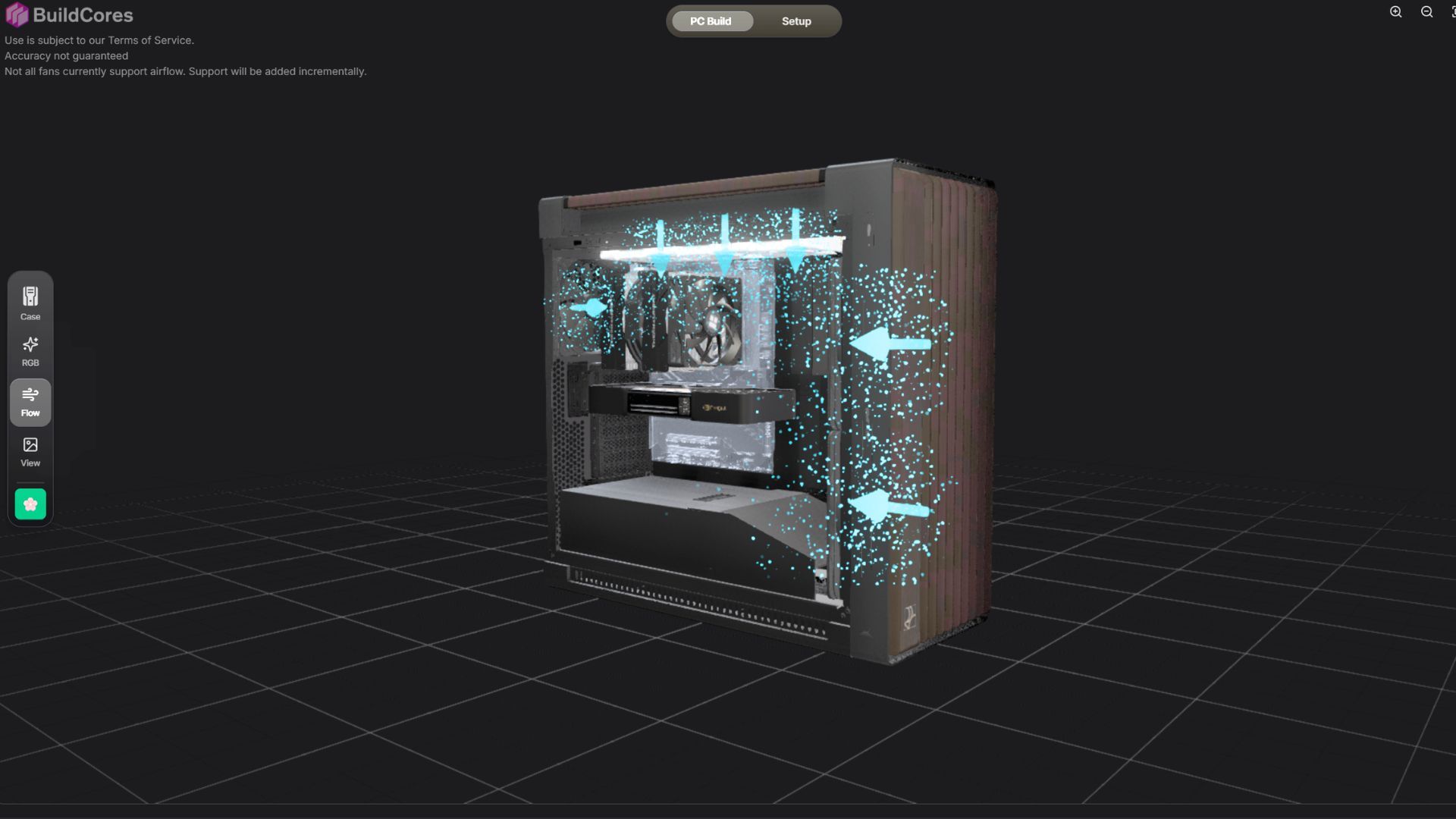
I just built a $70,000 digital PC and visualized its terrible airflow in 3D with this neat part-picking website
BuildCores, a popular PC part-picking website, has added a new feature that allows users to visualize airflow patterns in their custom PC builds in 3D. As demonstrated by creator bosoxs202 on the PCMR subreddit, the tool helps builders understand how air will flow through their systems before assembling their components.
The visualization tool serves as a helpful planning aid for PC enthusiasts designing their next build. It provides a rough approximation of airflow direction and patterns within a case, helping builders make more informed decisions about fan placement and orientation.
However, the tool has some limitations. It is not a full physics simulation and cannot account for complex real-world factors such as how GPU placement might obstruct airflow or how fans with different power levels might create varying intake and exhaust patterns. Instead, it functions as an approximative visualization to give builders a general sense of air circulation through their system.
The feature arrives as custom PC building remains a popular hobby among enthusiasts investing significant resources into high-end builds. The tool represents a helpful step toward making the airflow planning process more intuitive and accessible to builders of all experience levels.