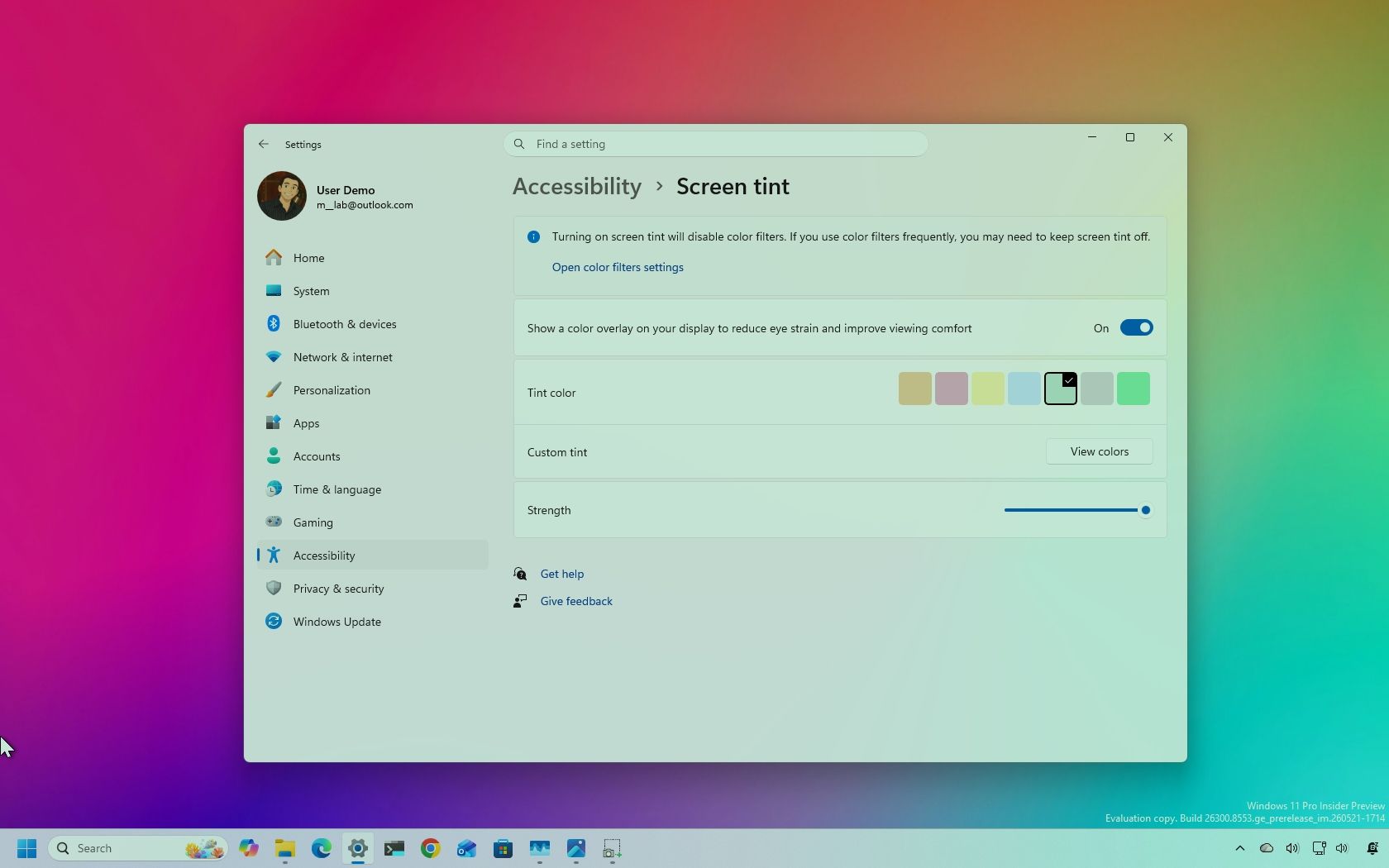
I took a look at Windows 11’s new eye‑strain reduction feature called ‘Screen tint’ — here’s how it works
Microsoft is developing a new accessibility feature for Windows 11 called “Screen Tint,” designed to reduce eye strain during extended computer use. The feature, currently available to Windows Insider Program participants, provides a system-wide color overlay that can be customized to make the desktop easier on the eyes.
Unlike Windows 11’s existing “Color filters” feature, which is primarily designed for accessibility needs such as assisting users with color blindness, Screen Tint focuses on general viewing comfort and fatigue reduction. The feature allows users to adjust the visual tone across their entire desktop, enabling them to modify how colors are displayed throughout their system.
The introduction of Screen Tint reflects growing awareness of digital eye strain, a common issue for users who spend extended periods working on computers. By offering customizable color tinting options, Microsoft is providing users with tools to reduce discomfort and potentially decrease the effects of prolonged screen exposure.
As the feature is still in testing through the Windows Insider Program, final details about its functionality and interface remain subject to change before a potential full release. This move positions Windows 11 to offer enhanced viewing comfort options alongside its existing accessibility suite.